
What Is Cloud Computing?

Imagine being able to run a global business, store thousands of family photos, or launch a brand-new app — all without ever buying a single server. That is the promise of cloud computing, one of the most transformative shifts in the history of technology. In just over a decade, cloud computing has moved from being a niche buzzword to becoming the invisible backbone of nearly everything we do online, from streaming a movie on a Friday night to running the systems that power hospitals, banks, and governments.
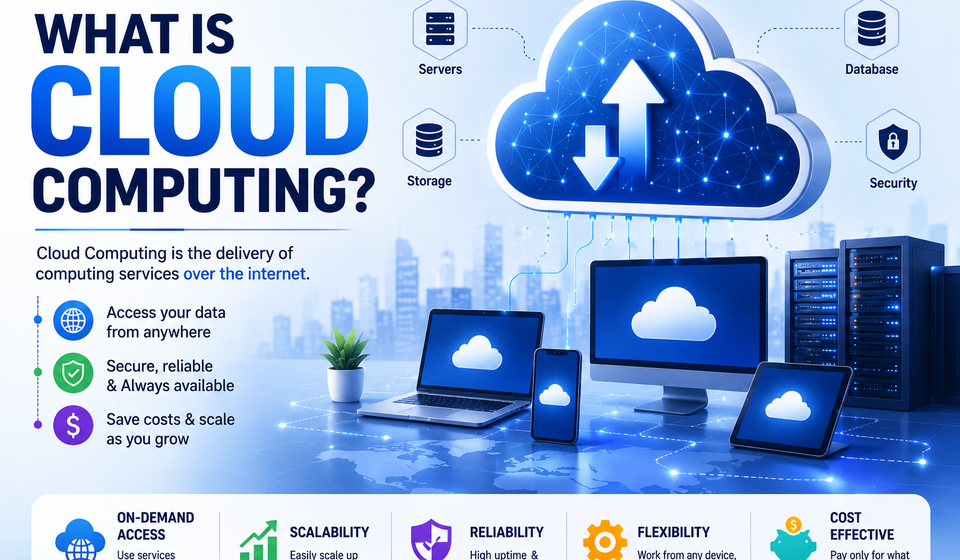
At its core, cloud computing is the delivery of computing services — including servers, storage, databases, networking, software, analytics, and intelligence — over the internet (“the cloud”) instead of relying on local hardware like a personal computer or an on-premises data center. Rather than owning and maintaining physical infrastructure, individuals and organizations can rent computing power and storage from a cloud provider, paying only for what they use, when they use it.
This article explores what cloud computing really means, how it works, its different types and models, why it matters, and what the future may hold — followed by five frequently asked questions to clear up common confusion.
A Simple Way to Understand It
Think about electricity. A century ago, if a factory needed power, it had to build and maintain its own generator. Today, no one does that — you simply plug into the grid and pay for what you consume. Cloud computing works on a similar principle, but for computing resources. Instead of buying, installing, and maintaining physical servers, businesses and individuals can “plug into” a cloud provider’s infrastructure and access computing power on demand.
This shift means that a small startup with two employees can access the same enterprise-grade infrastructure as a Fortune 500 company, without the massive upfront investment that used to be a barrier to entry. This democratization of technology is one of the most powerful outcomes of the cloud computing revolution.
How Cloud Computing Works
Behind the scenes, cloud computing relies on vast networks of physical servers housed in data centers around the world. These data centers are owned and operated by cloud service providers, who use a technology called virtualization to divide physical hardware into multiple virtual machines. Each virtual machine can run independently, allowing many customers to share the same physical infrastructure securely and efficiently without interfering with one another.
When someone uses a cloud service — say, storing a file, running an application, or training a machine learning model — the request travels over the internet to the provider’s data center, is processed by the provider’s servers, and the result is sent back to the user’s device. All of this typically happens in milliseconds, giving the illusion that the computing power exists locally, even though it might physically be located thousands of miles away.
This model is made possible by several key technological building blocks:
- Virtualization – Software that creates simulated, digital versions of physical computing resources.
- Distributed computing – Spreading workloads across multiple servers to increase speed, reliability, and scalability.
- High-speed networking – Fast, reliable internet connections that make remote computing feel instantaneous.
- Automation and orchestration – Systems that automatically allocate resources, scale services up or down, and recover from failures without human intervention.
Types of Cloud Computing Services
Cloud computing is generally broken down into three main service models, often described as layers building on top of one another:
1. Infrastructure as a Service (IaaS)
IaaS provides the fundamental building blocks of computing — virtual servers, storage, and networking — on a pay-as-you-go basis. Businesses use IaaS when they want maximum control over their infrastructure without the burden of maintaining physical hardware. Examples include virtual machines, cloud storage buckets, and virtual networks.
2. Platform as a Service (PaaS)
PaaS goes a step further by providing a ready-to-use environment for developers to build, test, and deploy applications without worrying about managing the underlying infrastructure. It handles operating systems, servers, and runtime environments, letting developers focus purely on writing code.
3. Software as a Service (SaaS)
SaaS delivers fully functional software applications over the internet, accessible through a web browser. Users don’t need to install, maintain, or update anything — the provider handles it all. Email services, video conferencing tools, and productivity suites are common examples people use every day.
A fourth and increasingly popular model, Function as a Service (FaaS) or “serverless computing,” allows developers to run individual pieces of code in response to events, without provisioning or managing any servers at all — even virtual ones.
Cloud Deployment Models
Beyond service types, cloud computing can also be categorized by how it is deployed:
- Public Cloud – Services are delivered over the public internet and shared across multiple organizations. This is the most common and cost-effective model, offered by major providers.
- Private Cloud – Computing resources are used exclusively by one organization, either hosted on-premises or by a third party, offering greater control and security for sensitive workloads.
- Hybrid Cloud – A combination of public and private clouds, allowing data and applications to move between the two for greater flexibility, optimized costs, and improved disaster recovery.
- Multi-Cloud – The use of multiple cloud providers simultaneously to avoid dependency on a single vendor, increase resilience, and take advantage of different providers’ strengths.
Why Cloud Computing Matters
The rise of cloud computing has reshaped how businesses operate and how individuals interact with technology. Several key advantages explain why organizations of all sizes have embraced it:
Cost Efficiency – Instead of investing heavily in physical hardware that depreciates over time, businesses pay only for the resources they actually use, converting large capital expenses into manageable operational costs.
Scalability and Flexibility – Cloud resources can be scaled up or down instantly based on demand. An e-commerce site, for instance, can automatically add more computing power during a holiday sales rush and scale back down afterward.
Speed and Agility – New resources can be provisioned within minutes rather than the weeks or months it once took to purchase, install, and configure physical servers, dramatically accelerating innovation.
Global Reach – Cloud providers operate data centers across the world, allowing businesses to deploy applications closer to their users for faster performance, and to expand into new markets almost instantly.
Reliability and Disaster Recovery – Reputable cloud providers offer high uptime guarantees, redundant systems, and built-in backup and recovery options that would be prohibitively expensive for most organizations to build on their own.
Automatic Updates and Maintenance – Providers handle software updates, security patches, and hardware maintenance, freeing internal teams to focus on core business goals instead of routine upkeep.
Enhanced Collaboration – Cloud-based tools enable teams to work together on documents, projects, and data in real time from anywhere in the world, a capability that has become essential in the era of remote and hybrid work.
Common Challenges and Considerations
Despite its many benefits, cloud computing is not without challenges. Organizations must carefully consider:
- Security and Privacy – Storing sensitive data off-premises requires trust in a provider’s security measures, along with strong internal practices like encryption and access controls.
- Downtime and Outages – While rare, outages at major cloud providers can affect thousands of businesses simultaneously, highlighting the importance of redundancy planning.
- Vendor Lock-in – Deep integration with a single provider’s tools can make it difficult and costly to switch providers later.
- Compliance – Certain industries, such as healthcare and finance, must ensure that cloud usage complies with strict regulatory requirements regarding data handling and location.
- Cost Management – Ironically, the pay-as-you-go model can lead to unexpectedly high bills if usage isn’t carefully monitored and optimized.
Real-World Applications
Cloud computing quietly powers much of daily life. Streaming platforms use it to deliver video content instantly to millions of viewers. Ride-sharing apps rely on it to match drivers and passengers in real time. Online banking systems use it to process transactions securely at scale. Even artificial intelligence tools, which require immense computing power to train and run, depend heavily on cloud infrastructure to function.
Educational institutions use cloud-based learning platforms to reach students anywhere. Healthcare providers use cloud systems to store and share patient records securely between facilities. Small businesses use cloud accounting and inventory tools to run operations without needing an IT department. The applications span nearly every industry imaginable.
The Future of Cloud Computing
As technology continues to evolve, cloud computing is expected to grow even more central to how the world operates. Emerging trends include:
- Edge Computing – Processing data closer to where it is generated, reducing latency for applications like autonomous vehicles and smart devices.
- AI Integration – Cloud platforms increasingly offer built-in artificial intelligence and machine learning tools, making advanced technology accessible without specialized expertise.
- Sustainability Efforts – Providers are investing in renewable energy and more efficient data centers to reduce the environmental impact of large-scale computing.
- Increased Automation – Greater use of AI-driven tools to manage, secure, and optimize cloud environments automatically.
Cloud computing has fundamentally changed the relationship between people, businesses, and technology. By shifting computing resources from physical, locally-owned hardware to flexible, internet-based services, it has lowered barriers to innovation, reduced costs, and enabled a level of scalability and collaboration that was unimaginable just a few decades ago. Whether it’s a multinational corporation running complex analytics or an individual backing up family photos, cloud computing has become the quiet, powerful engine behind modern digital life — and its influence is only set to grow.
Frequently Asked Questions (FAQs)
1. Is cloud computing the same as the internet? No. The internet is the network that connects devices worldwide, while cloud computing refers to the computing services — like storage and processing power — delivered over that network.
2. Is data stored in the cloud safe? Reputable providers use strong encryption, access controls, and redundancy to protect data, but overall safety also depends on the user’s own security practices, such as using strong passwords and multi-factor authentication.
3. Do I need technical skills to use cloud computing? Not necessarily. Everyday tools like email, streaming services, and cloud storage apps run on cloud computing but require no technical knowledge to use.
4. Can small businesses afford cloud computing? Yes. One of cloud computing’s biggest advantages is its pay-as-you-go pricing, which allows small businesses to access powerful technology without large upfront investments.
5. What happens if a cloud provider experiences an outage? Most providers offer high reliability with redundant systems, but outages can occasionally happen. Businesses often reduce risk by using backup systems, multiple regions, or multi-cloud strategies.